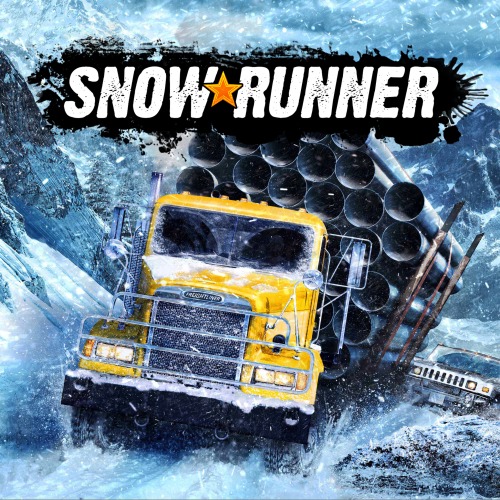
Release year : 2020
Genre : 3D , Simulator
Developer : Saber Interactive
Publisher : Focus Home Interactive
Publication type : Repack
Interface language : Russian, English, MULTi
Voice language : -
Medicine : Built-in {nEOS emu}
System requirements :
- Operating system : Windows 7/8/10 (x64)
- Processor : Intel i3-4130 @ 3.4 GHz / AMD Ryzen 3 2200U @ 3.4 GHz
- RAM : 8 GB RAM
- Video card : 2 GB, GeForce GTX 660 / Radeon R9 270, DirectX 11
- Free hard drive space : 23.5 GB
Description : Get ready for a new chapter in off-road adventures!
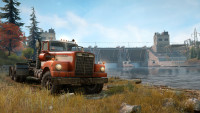
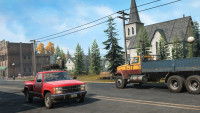
In SnowRunner, you control powerful trucks and conquer harsh natural conditions in the most advanced off-road simulator ever. Drive 40 vehicles from brands like Ford, Chevrolet, and Freightliner! Leave your mark on this untamed open world!
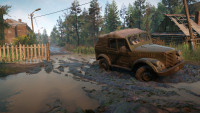
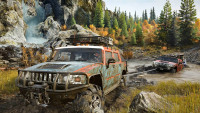
Overcome mud, torrential rain, snow, and frozen lakes as you complete dangerous contracts and missions. Expand and customize your fleet with a variety of upgrades and accessories, such as a snorkel for battling powerful torrents or tire chains for tackling snow.
Game Features : - Experience extreme weather conditions with an advanced physics engine.
- Discover, upgrade, and customize 40 unique vehicles.
- Complete dozens of challenging missions in an interconnected world.
-
- Ride solo or with up to three friends in co-op mode.
-
-
- Repack Features
- Nothing cut / nothing re-encoded;
- Game archives have not been opened;
- Game version: 12.1;
- Additions:
- Sabertooth Livery Audience
- Navistar 500 MV Audience
- Loaded Dice Vinyl Wrap Audience
- Scorched Vinyl Wrap Audience
- True Colors Vinyl Wrap Audience
- High Roller Pack Audience
- PHASE 1 Search and Recover Audience
- PHASE 2 Explore and Expand Audience
- PHASE 3 Locate and Deliver Audience
- Phase 4 Expansion Audience
- Classic DLC
- Western Star 49X
- Change the game language in the settings menu;
- Launch the game from a shortcut on the desktop or from the game directory (SnowRunner.exe - launch);
- Installation time ~13 minutes (depending on the computer);
- Repack by xatab.
- P.S. CODEX pills and the nEOS emulator use different save paths, so to avoid losing progress when switching from one medication to the other, you need to do the following:
- Go to "My Documents" [C:/Users/Username/Documents/My Games]
- In [My Games/SnowRunner/base/storage], create a folder named "0" (zero, a number, without quotes, or run the game and it will create it automatically)
- There will also be a "1638" folder in the storage folder (CODEX saves and settings). Copy all the contents from it to the previously created "0" folder to continue progress - - The last point is also relevant if you need to switch from the nEOS version to CODEX
Screenshots